Posts

installing anaconda for python 3.6

Conda installation Download conda installer sh file form site https://www.anaconda.com/download/#linux bash Anacondax-x.x.x.x-Linux-x86_64.sh First time to create conda envoirment conda create --name my_env python=3 move into envoirment source activate my_env installing any package conda install ggplot searching any package conda search ggplot getting list of all linked (can be installed) packages conda list closing environment source deactivate Once it is install you can use it with Jupyter notebook, Rodeo or Spyder Using Jupyter Notebook jupyter notebook Once launched in browser choose New => Python3 Python command in Rodeo http://rodeo.yhat.com/docs/ Go settings and change command path as : ~/anaconda3/envs/my_env/bin/python3.6 or /home/rajiv/anaconda3/envs/my_env/bin/python3.6 Python command in Spyder Change interpretor path : ~/anaconda3/envs/my_env/bin/python3.6 or /home/rajiv/anaconda3/envs/my_env/bin/python3.6 Adding R Langu...
Learning and practicing R with swirl

Swirl Package of R is very good to learn R programming and get into practice with R. However I recommend it to those have knowledge of at least One programming language already. So lets start. 1. Install R 2. Install RStudio 3. Install swirl package Go to RStudio console and start with: install.packages("swirl") > library(swirl) | Hi! Type swirl() when you are ready to begin. > swirl() | Welcome to swirl! Please sign in. If you've been here before, use the same name as you did then. If you are | new, call yourself something unique. What shall I call you? Rajiv | Thanks, Rajiv. Let's cover a couple of quick housekeeping items before we begin our first lesson. First of | all, you should know that when you see '...', that means you should press Enter when you are done reading | and ready to continue. ... <-- That's your cue to press Enter to continue | Also, when you see 'ANSWER:', the R prompt (>), or when you ar...

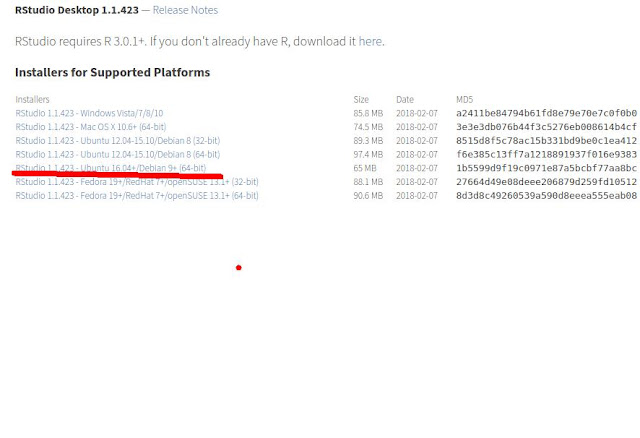
Installing R base and RStudio in Ubuntu 16.04 LTS

Image
# Install R + RStudio on Ubuntu 16.04 sudo apt-key adv –keyserver keyserver.ubuntu.com –recv-keys E084DAB9 sudo add-apt-repository 'deb https://ftp.ussg.iu.edu/CRAN/bin/linux/ubuntu xenial/' sudo apt-get update sudo apt-get install r-base sudo apt-get install r-base-dev For RStudio, first visit https://www.rstudio.com/products/rstudio/download/ Check the latest version as per your os version You can download directly and run with Software Install Program or  do as below in command line # Download and Install RStudio sudo apt-get install gdebi-core wget https://download1.rstudio.org/rstudio-xenial-1.1.423-amd64.deb sudo gdebi rstudio-xenial-1.1.423-amd64.deb rm rstudio-xenial-1.1.423-amd64.deb